2026-10-16 · BillCrop Team · 5 min read
Fake Invoice or Real? How to Check 'We Changed Our Bank Account' Emails
A supplier emails new bank details. A buyer sends 'proof of payment'. Both can be fake. Learn the signs, and one 4-step call-back rule that protects your business money.
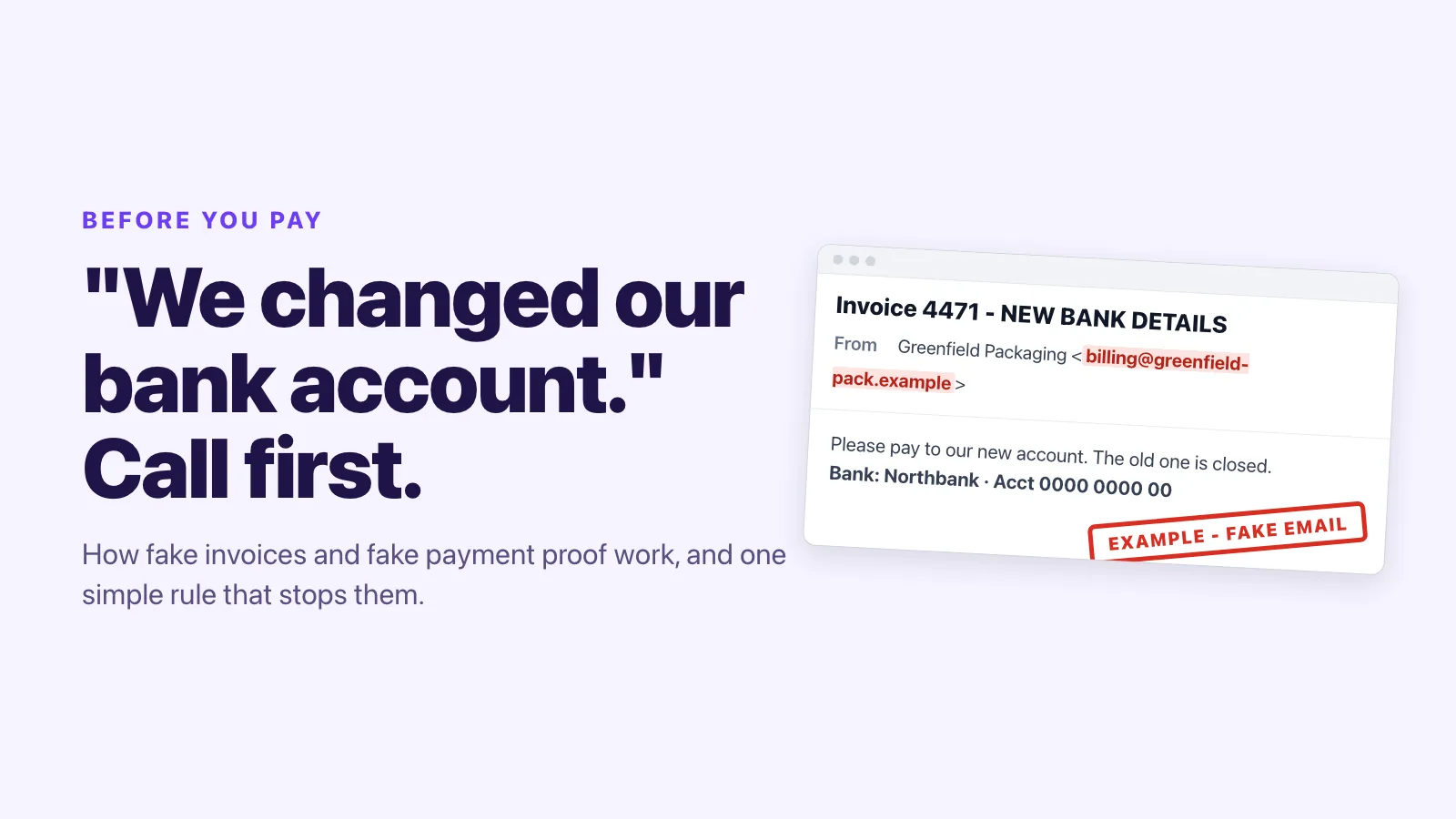
You are busy. An email arrives: “Hello, our bank account has changed. Please pay invoice 4471 to the new account.” It looks right. The logo is right. The amount is right.
Only one thing is wrong: the bank account belongs to a thief.
This is one of the most costly scams for small businesses, in every country. Here is how it works and how to stop it. All the examples below are made up. The brands, people and addresses are fictional.
The 3 versions you will meet
1. “We changed our bank account” (fake supplier)
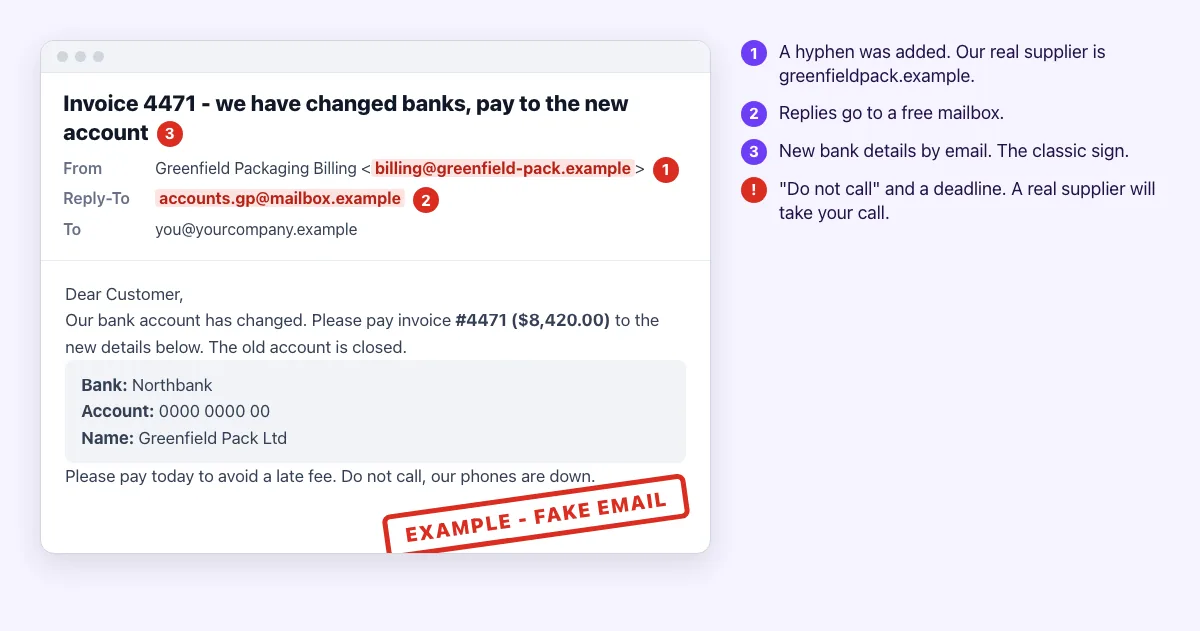
A scammer copies a real invoice from a supplier you know. They change the bank details and send it. Sometimes they hack your supplier’s real email, so the address is real too.
Red flags
- New bank details sent by email.
- A sender address with one small change, such as an added hyphen or a swapped letter.
- A “Reply-To” address that goes somewhere else.
- A rush: “pay today to avoid a late fee”.
- “Do not call, our phones are down.”
2. “Your customer has paid” (fake payment proof)
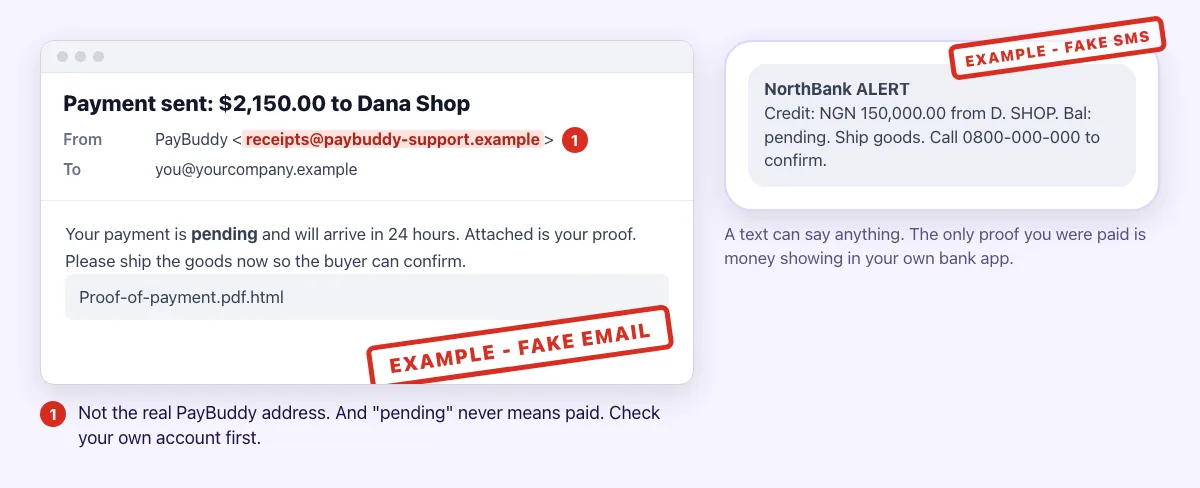
A buyer sends a “proof of payment” PDF or a text that looks like a bank alert. They ask you to ship the goods now because “the money is pending”.
Red flags
- The money is “pending” or “will arrive in 24 hours”.
- The proof is an attachment, especially one ending in
.htmlor.zip. - The alert comes by text or email, not in your own bank app.
- A push to ship now, before the money is in.
3. “Pay this invoice” from a real platform
Scammers also use real payment and invoice services to send fake requests. The message really comes from the real service. But you do not know the sender, and you were not expecting an invoice.
Red flags: an invoice for something you never bought, a strange amount, and a phone number to “cancel the charge”.
The 4-step call-back rule
Use this every single time someone changes how you pay or get paid.
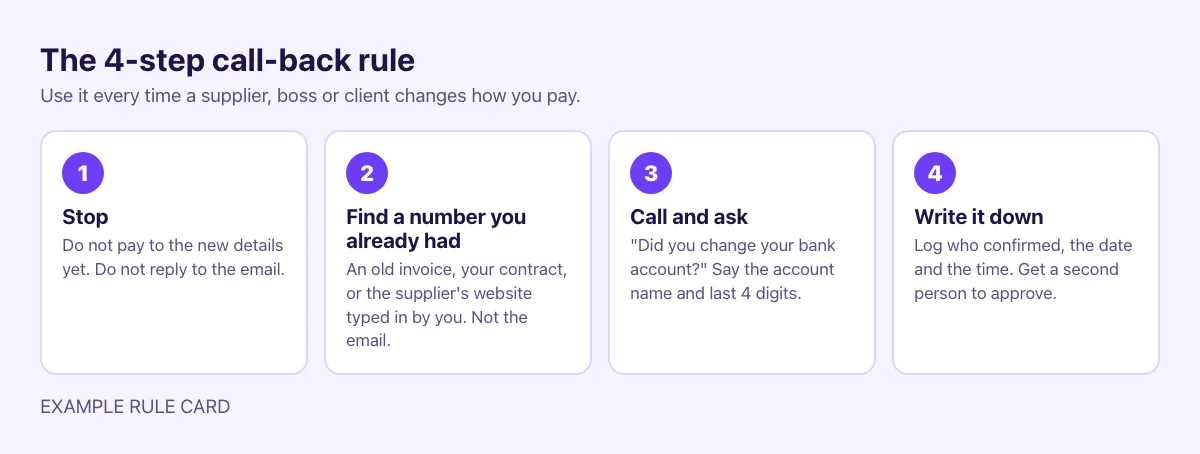
- Stop. Do not pay to the new details. Do not reply to the email.
- Find a number you already had. Use an old invoice, your contract or the supplier’s real website, typed in by you. Never use the number in the email.
- Call and ask. “Did you change your bank account?” Ask them to say the account name and the last 4 digits.
- Write it down. Note who confirmed, the date and the time. For big payments, get a second person to approve.
It takes five minutes. It can save a whole month’s money.
6 habits that protect your money
- Match every invoice to an order or contract before you pay.
- Keep supplier bank details in one place that only a few people can change.
- Do not change bank details because of an email. Not yours, not your supplier’s, not your boss’s.
- Check money in your own bank app before you ship goods or release stock. A text or a screenshot is not payment.
- Use 2-step login on your email and bank. Many fake invoices come from a hacked mailbox.
- Tell your team and your clients the rule. Put it on your invoices: “We will never change our bank details by email. Call us first.”
Make your own invoices easy to trust
When your invoices always look the same, a fake stands out. With BillCrop you send invoices with the same layout, the same invoice number style and an online pay link on each one, so your clients know what a real one from you looks like. If your details ever change, tell clients by phone first, and say so on the invoice.
If you already paid a fake account
- Call your bank straight away and ask them to try to recall the payment.
- Tell your real supplier by phone.
- Report it. To the police and your bank. In the US, also report it to the FBI’s IC3 at ic3.gov. In Nigeria, tell your bank and the police.
- Change the passwords on the email account that was used, and turn on 2-step login.
Test yourself: can you spot the fake?
Reading about scams helps. Practice helps more. Try the free Spot the fake email quiz. It has 12 made-up emails, including a fake “new bank details” invoice. Pick real or fake, then see the clues you missed. It takes 3 minutes, and there is no sign-up. Send it to the person who pays your bills.
Sources
- FBI IC3: Business Email Compromise: The $55 Billion Scam (PSA240911)
- CISA: Avoiding Social Engineering and Phishing Attacks (verify requests using contact details from past statements, not from the message)
- FTC: How to Recognize and Avoid Phishing Scams
- More spot-the-fake practice: free fake-email test
Send clean, consistent invoices that your clients learn to recognise. Our free invoice generator makes one in minutes.
Free invoice generator →