2026-10-08 · BillCrop Team · 4 min read
How to send an invoice on WhatsApp (and get paid)
How to send an invoice on WhatsApp in 5 steps. Share a PDF or link, copy a ready message and reminder, and make it easy for clients to pay you.

In Nigeria and many other places, WhatsApp is where business happens. Clients reply there faster than on email.
So it makes sense to send invoices there too. Here is how to send an invoice on WhatsApp the right way, with messages you can copy.
How do I send an invoice on WhatsApp?
Make the invoice, save it as a PDF, attach it in the chat and add a short message. It takes five steps.
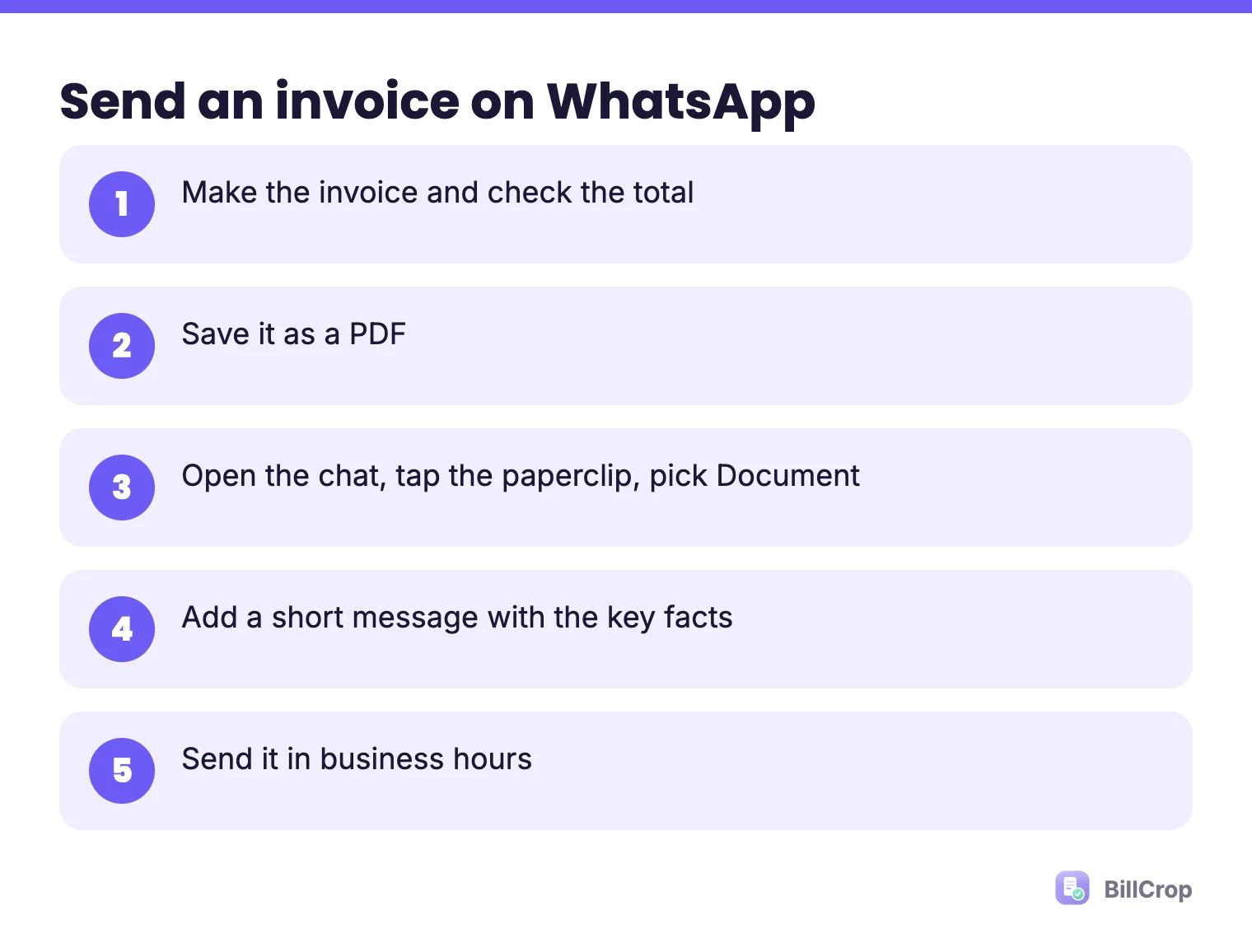
- Make the invoice. Use a tool or a template. Check that the total and the due date are right. Our guide on how to make an invoice in Nigeria lists every part. Or start from our free invoice template.
- Save it as a PDF. A PDF looks the same on every phone.
- Open the chat with your client. Tap the paperclip, then Document, then pick the PDF.
- Add a short message. Do not send the file alone. See the message below.
- Send it during business hours.
What should my invoice message say?
Put the key facts in the text: invoice number, amount, due date and pay link. Then the client does not have to open the file to see them.
Hi [Name], thank you for your order!
Invoice [#014] for [₦85,000] is attached.
Due date: [22 October].
You can pay here: [pay link]
Let me know if you have any questions.
Should I send a PDF or a link?
Send a PDF if you want a file the client can save. Send a link if you want a pay button and an always-current invoice.
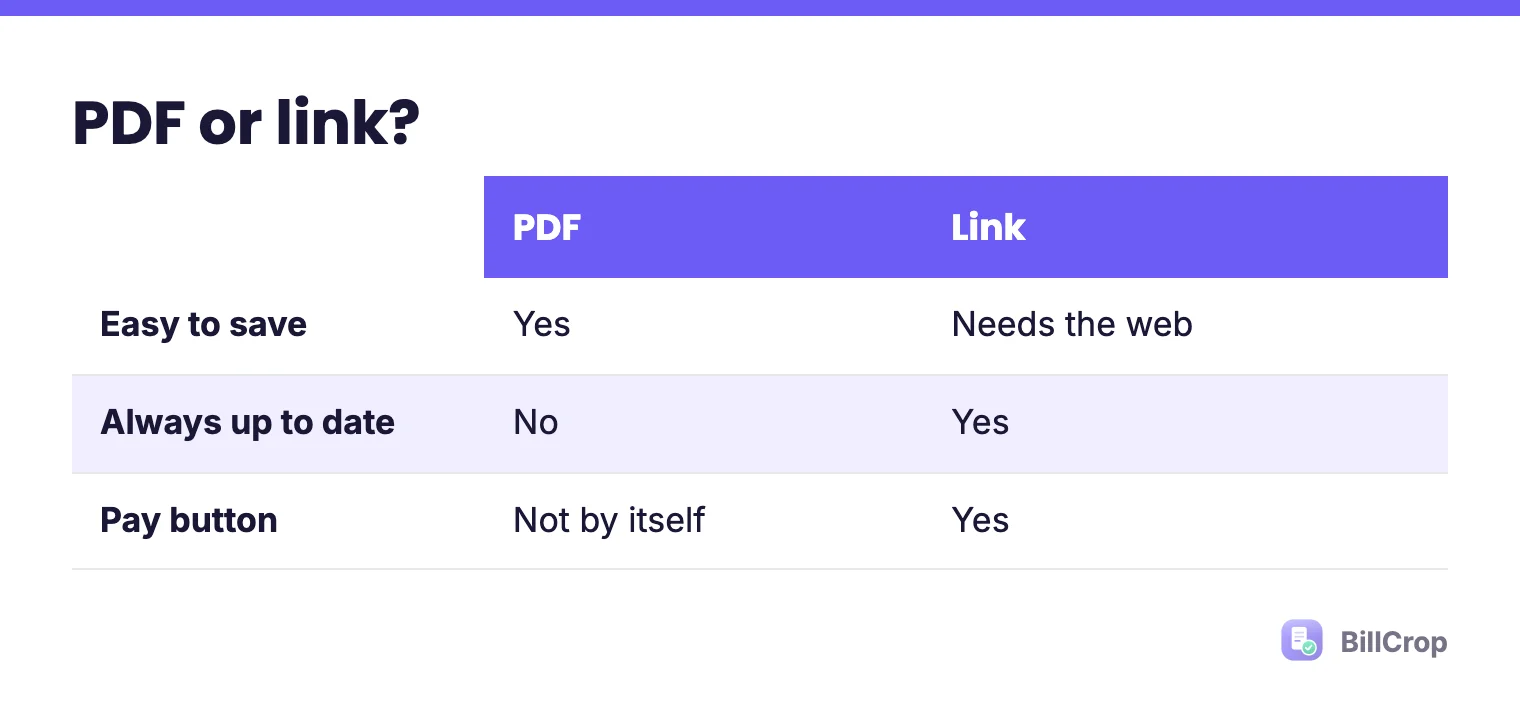
| Link | ||
|---|---|---|
| Easy to save | Yes | Needs the web |
| Always up to date | No | Yes, it shows the latest |
| Can include a pay button | Not by itself | Yes |
BillCrop lets you share an invoice by WhatsApp or email link and add an online payment link, so the client can pay from the same message. See how payments work on our payments page.
Is a WhatsApp invoice a real invoice?
Yes, if the invoice itself has the right details. WhatsApp is only the delivery van. The invoice inside still needs a number, a date, the items, the total and how to pay. Some places also need tax details, so check the rules where you work.
What are the risks of WhatsApp invoices?
The main risks are buried messages, lost records and no automatic reminders.
- Messages get buried. Chats move fast. Your invoice can sink under 50 other messages.
- No record. If you lose the chat, you lose the invoice. Always keep a copy somewhere safe.
- No automatic reminders. You have to remember to follow up.
- Mixed-up numbers. If you send invoices by hand, it is easy to repeat a number.
Here is how to fix these:
- Keep every invoice in one place.
- Use the same invoice numbering. See invoice numbering.
- Send a reminder the day after the due date. Use our reminder messages.
How do I remind someone to pay on WhatsApp?
Keep it light, name the invoice and add the pay link.
Hi [Name], a quick reminder that invoice [#014]
for [₦85,000] was due on [22 October].
Here is the pay link: [pay link]
Thank you!
For the full sequence, read how to chase unpaid invoices.
What are good WhatsApp manners for business?
Be short, be clear and respect the hour.
- Send invoices in working hours, not at midnight.
- One message with the file and the key facts, not five separate ones.
- Use the client’s name.
- Do not send voice notes about money. Write it down so there is a record.
- If you also use email, send a copy there so it is easy to find later.
When is WhatsApp not enough?
When you send many invoices, or you need records for tax or an accountant. Then use WhatsApp to deliver and a tool to keep the records. See receipt vs invoice for what to send once the money lands.
What if my client does not open the file?
Put the amount and due date in the message text, and follow up the day after. Some people never open attachments. If the key facts are in the chat, the invoice still gets noticed. A link also works well, because tapping a link feels lighter than downloading a file.
The easy way
BillCrop lets you send an invoice link, add a pay link and track payments in one place. Start your 14-day trial.
Make a clean PDF to send on WhatsApp. Free, no sign-up.
Free invoice generator →